Filters
Right-click the Listary tray icon and go to Options -> File Search -> Filters
What are Filters?
Filters allow you to search for specific file extensions or folders within specific folders using an extra query.
How to use Filters?
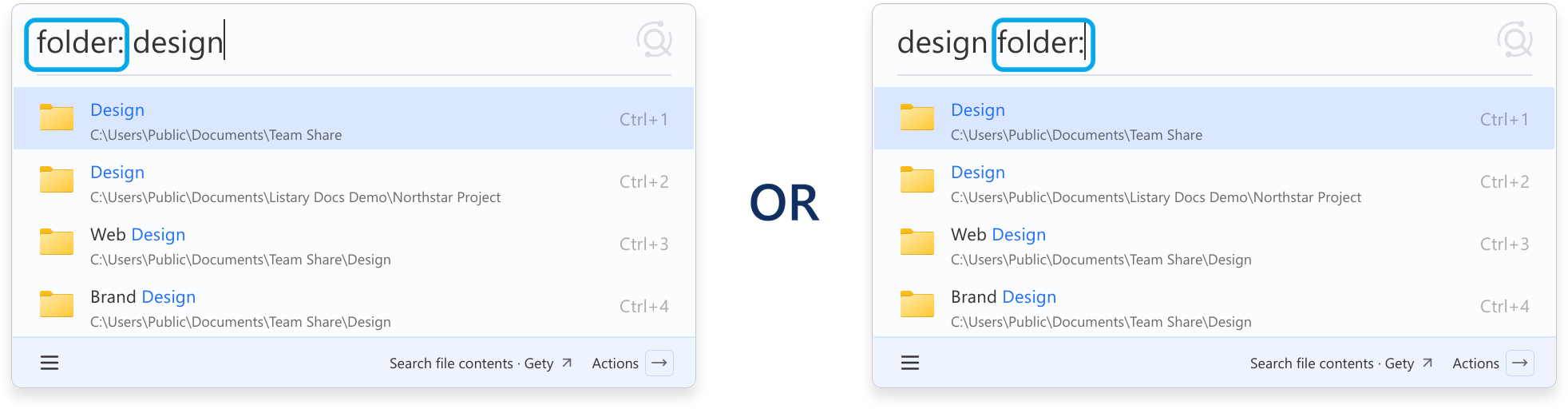
Type the filter keyword followed by a colon :. It can appear anywhere in the search query.
Example
Search for a folder with design as part of its name:
folder: designdesign folder:
Instead of entering filter conditions directly in the Listary launcher, you can also use the File Search Window to filter and browse results more intuitively.
The filter can go before or after your search words, with or without a space: folder:listary, folder: listary, and listary folder: all work. The full-width Chinese colon : also works.
Listary built-in Filters
For your convenience, Listary has some built-in filters that you can use directly.
| Keyword | File Type |
|---|---|
folder: | Folders |
file: | Files |
doc: | Documents |
pic: | Pictures |
video: | Videos |
audio: | Audio |
Filters also allow you to search within specific folders except for file extensions. You can customize your filters in the options.
Customize your Filters
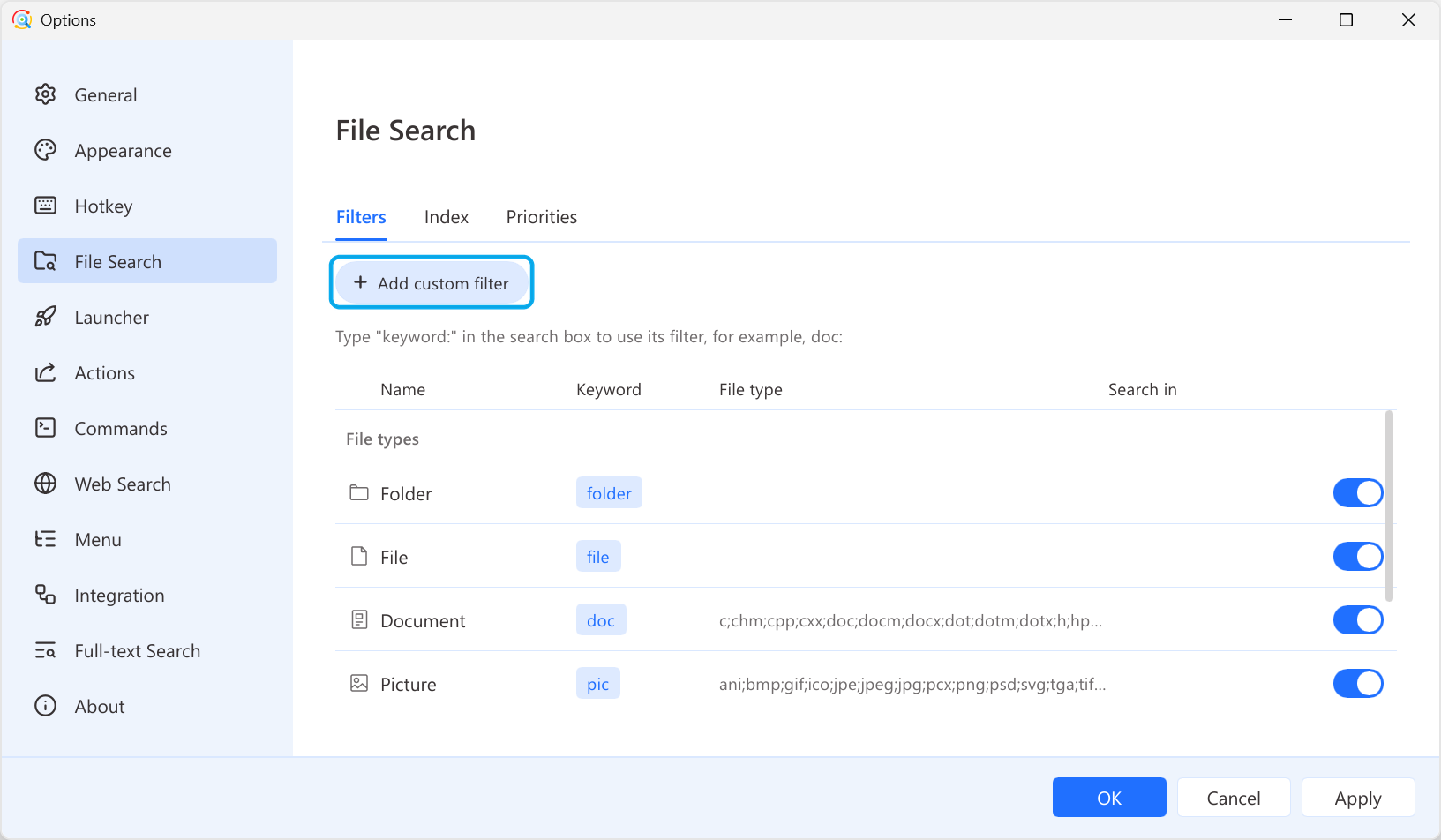
Click Add custom filter to add a filter. To modify, select the item and the related setting will appear on the right. To delete a custom filter, click the delete button at the bottom of its settings. Built-in filters cannot be deleted, but you can turn them off with the switch beside them.
| Name | Required | Description | Example |
|---|---|---|---|
| Keyword | Yes | The keyword to activate this filter. | docpic |
| Name | Yes | The name or description of this filter. | Document |
| Extra query | No | add an extra query for your search content | If the extra query is Project A, when you search for excel, it is equivalent to searching for Project A excel |
| Search in | No | Search within specific folders | C:\Windows\System32D:\Listary |
| Search type | No | Search for folders, files, or both | FolderFile |
| File type | No | Search for specific file extensions | mp4;mov;rmvbjpg;png;bmp Note: No need for . before the extension. Use ; to separate extensions. |