Web Search
Right-click the Listary tray icon and go to Options -> Web Search
What is Web Search?
With the web search feature, you can use any internet search engine directly within Listary, bypassing the need to "manually open the browser, type the URL, type the query, and w...wait for it to load."
Type a keyword, such as g for Google, or choose from other website keywords to search specific sites. Listary will even show related search suggestions as you type.
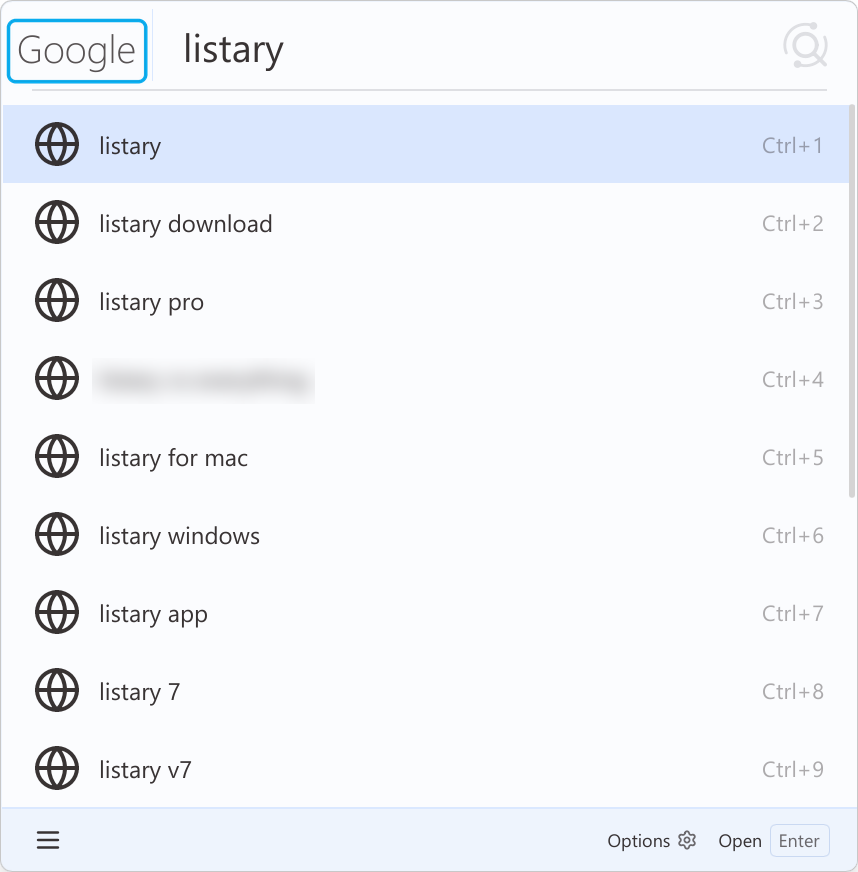
How to use Web Search?
Type the "website keyword" and press the Space key to launch the web search. Enter your query and hit Enter to see results in your default browser. Listary may offer search suggestions for some search engines, helping you quickly find what you're looking for.
Listary has some built-in web search:
| Website Keyword | Website | Instructions | Notes |
|---|---|---|---|
g | Search | provides search suggestions | |
wiki | Wikipedia | Search | provides search suggestions |
so | Stack Overflow | Search | provides search suggestions |
bing | Bing | Search | provides search suggestions |
b | Baidu | Search | provides search suggestions |
gmail | Gmail | Search | |
twitter | Twitter (X) | Search | |
youtube | Youtube | Search | provides search suggestions |
maps | Google Maps | Search | provides search suggestions |
amazon | Amazon | Search | provides search suggestions |
ebay | eBay | Search | |
imdb | IMDb | Search | provides search suggestions |
facebook | Search |
Some web content may need the user login.
Some websites might be redirected or restricted based on network connections, so please check it.
Customize your Web Search
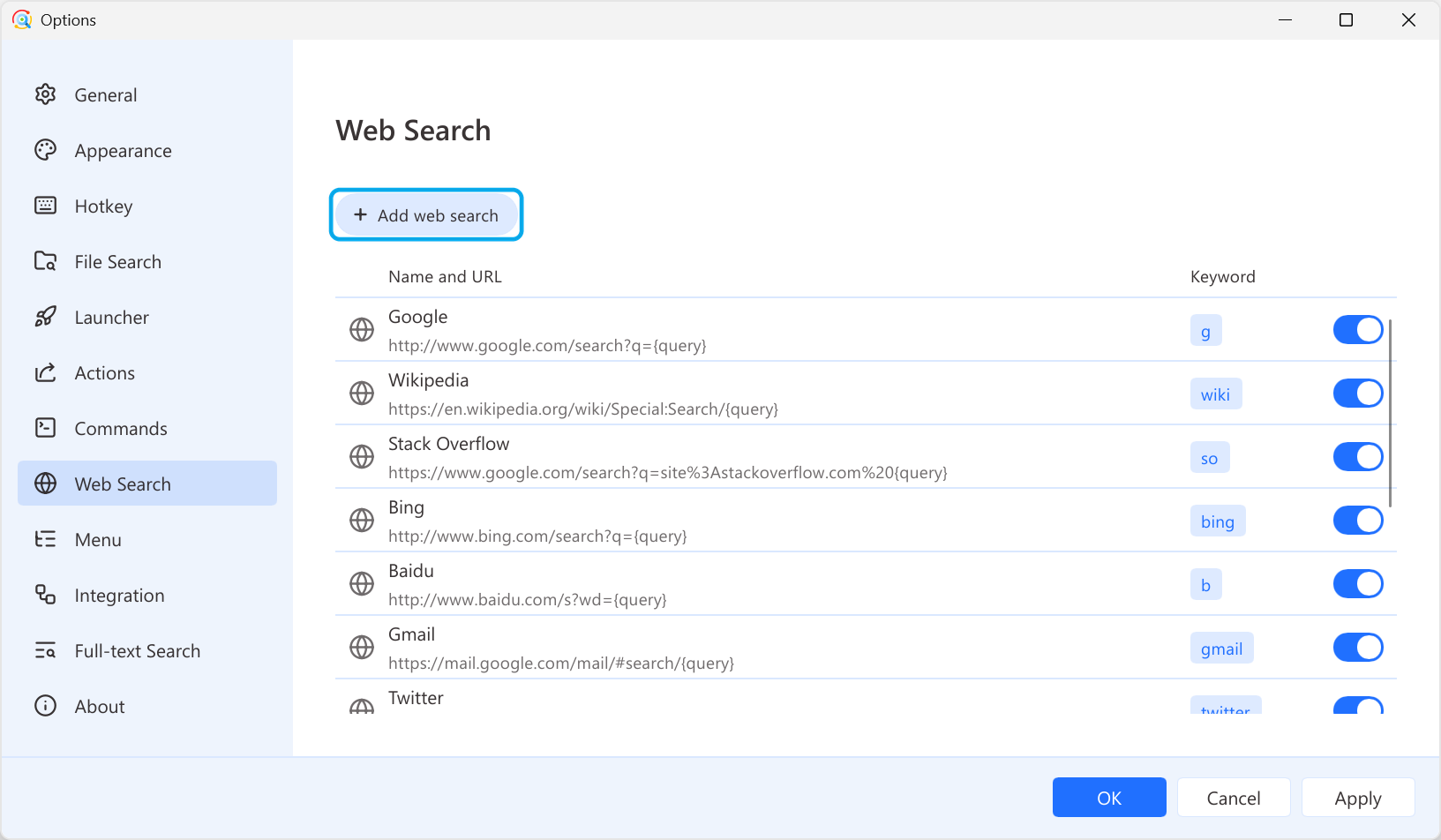
Click Add web search to add, and use the switch to toggle web search. To modify or delete, select the item and the related setting will appear on the right.
| Name | Required | Description | Example |
|---|---|---|---|
| Keyword | Yes | The keyword to activate this web search. | gwikior any other characters |
| Name | Yes | The name of this web search engine. It will display on the left of the search bar. | GoogleWikipediaor other names |
| URL | Yes | The Url link of this web search engine. You must use the parameter {query} in the link to represent the search content. | http://www.google.com/search?q={query} |
| Suggestion provider | - | Complete the search term you entered. You can choose different search engine APIs. (Note: The URL and suggestion provider don’t need to correspond exactly, for example, you can use Google’s suggestion provider while searching on Bing.) |
|
| Icon | No | Logo Supporting png, bmp, jpg, jpeg, ico formats. | - |