Full-text Search
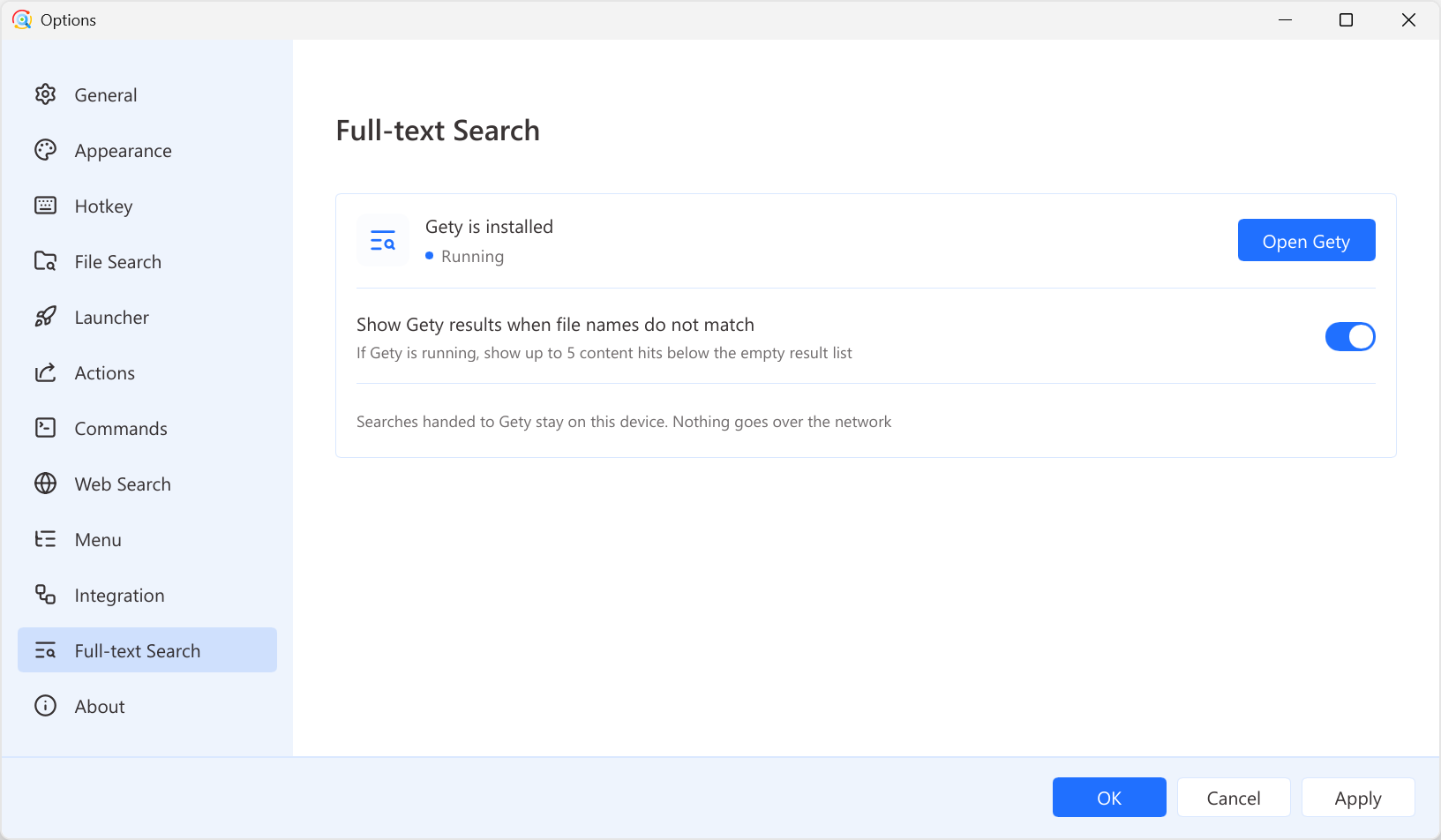
Right-click the Listary tray icon and go to Options > Full-text Search.
Listary normally searches file names and paths. Full-text Search can also show files whose contents match your query by using Gety, a companion app from the Listary team.
Listary finds the file. Gety gives you the answer. Gety provides full-text search inside PDFs, scans, and Office documents, and takes you directly to matching content. Learn more.
Before you begin
Gety must be installed and running. You can download it from the Gety website.
Once Gety is installed, the Full-text Search page shows Gety is installed and whether Gety is running. Click Open Gety when you need the complete Gety interface.
Use Gety from Listary
Type gety plus a space to search file contents directly. Press Ctrl twice to open the launcher, type gety and a space, then type what you are looking for, for example gety quarterly budget.
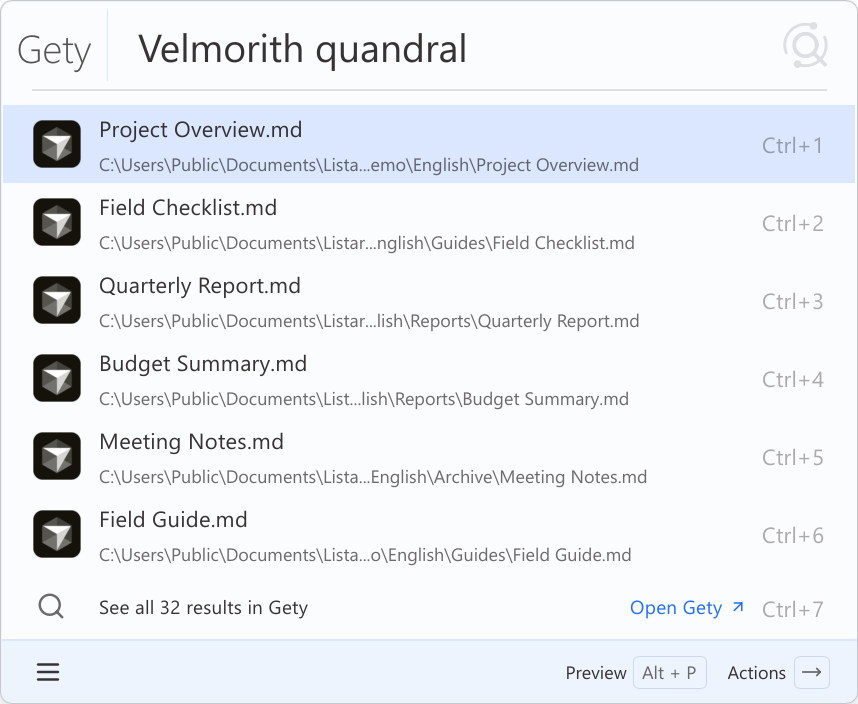
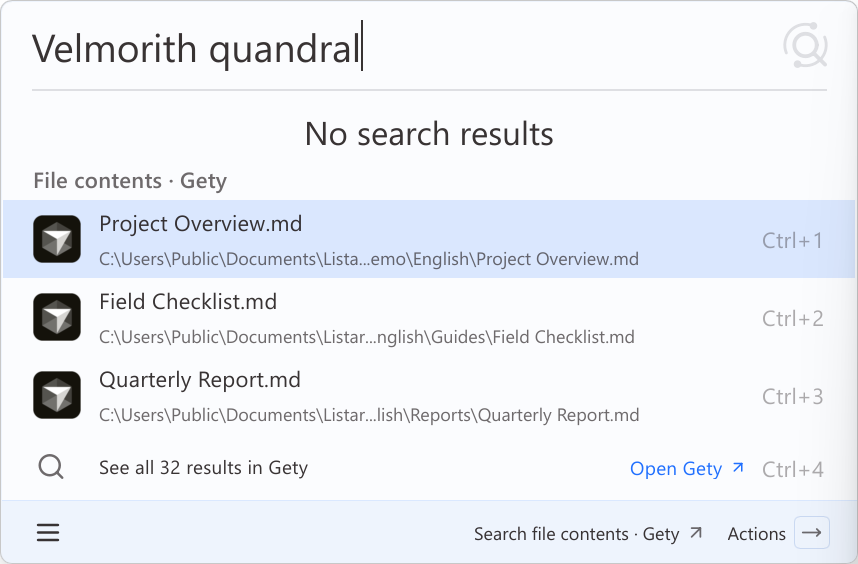
Continue in Gety when file names do not match. If no file name matches, the launcher shows content results found by Gety. Click See all … results in Gety to jump straight to Gety for the complete list. This is controlled by Show Gety results when file names do not match on the Full-text Search page, which is on by default.
Gety content results work like regular file results: open the file, open its containing folder, preview it, open the action menu, and more.
Preview the matching content
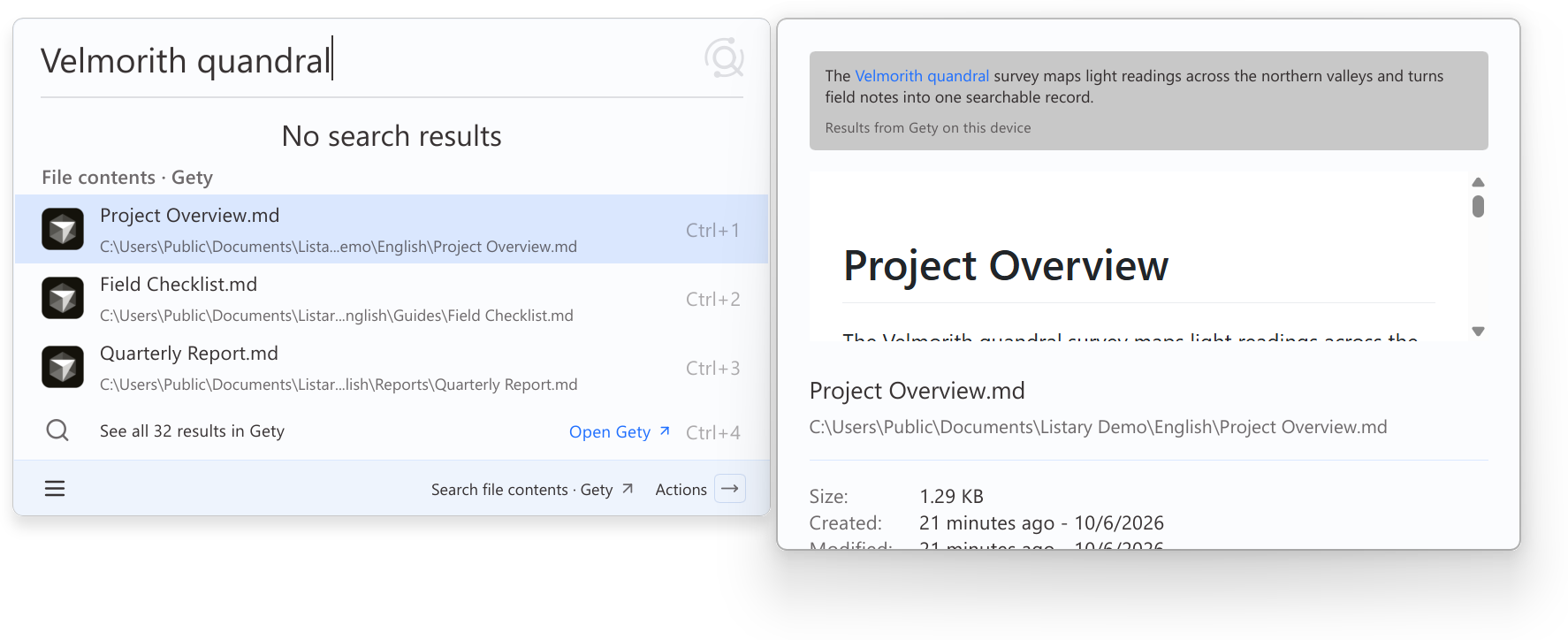
Select a Gety result and press Alt+P to open the Listary preview pane. The pane shows the matching content and file details without leaving the launcher.
Search a folder's contents with Gety
In the launcher, select a folder, open the action menu, and choose Search this folder's contents with Gety to search the files in that folder with Gety.
Privacy
Listary passes your search query only to Gety on the same computer. Listary does not send it over the network.
If no full-text results appear, confirm that Gety is running and that Show Gety results when file names do not match is turned on.
More about Gety
What Gety can search
- Documents: PDF, Word, PPT, Excel, and WPS, all rendered clearly.
- Scans & screenshots: Leading on-device OCR makes scans and screenshots searchable.
- Any source: WeChat, email, cloud drives, and more, through connectors.
A smooth experience
- See the answer without opening the file: It jumps to the answer and highlights it, so you never flip through hundred-page documents again.
- Your AI can use Gety too: Gety searches your real work documents and feeds the AI the context it needs, in real time, so it stops guessing.
Listary + Gety: from file names to file contents
| Compare | Gety | Listary |
|---|---|---|
| Purpose | A file content search engine for you and your AI | A launcher for quickly opening files, folders, and apps |
| Core features | File content search: Find files by their contents and jump straight to the passages you need AI integration: Let AI find and use files across your computer to deliver better results Connectors: Bring content from your apps together in Gety, so you can search it all in one place | File and app launcher: Search by name to open files and launch apps in seconds Quick Switch: Jump straight to the folder you need in Open and Save dialogs File management shortcuts: A suite of tools for easier file handling, including menus, commands, and type-to-search |
| What you can search | File contents File names Text in images and embedded images (OCR) Semantic matches | File names File paths |
| File types | Documents you work with, including Office files, PDFs, images, and scans | All file types |
| Search locations | Local drives Network drives Content from other apps, such as Chrome browsing history | Local drives Network drives |
| Access from other apps | One-click AI app integration MCP CLI API Listary integration | HTTP API |
| Preview | View documents in their original layout and jump straight to highlighted matches | Basic preview |
| Search filters | Supported | Supported |
| Desktop platforms | Windows / macOS / Linux | Windows / macOS (coming soon) |
| Getting started | Easy | Easy |
| Best for | Finding information across large numbers of documents Automating work with AI | Getting everyday tasks done faster |