Advanced search syntax (v7)
The syntax on this page is currently available only in Listary v7 Beta for Windows 10 and 11. Download Listary v7 Beta or read the English v7 release announcement.
This syntax is mainly intended for AI. Use this page as a reference or ask an AI to generate a query when needed. A more user-friendly way to access these features will come later.
Every syntax on this page works in both the Listary launcher and the File Search Window. You can combine text, paths, filters, dates, and sizes in a single query.
In operators such as ext:, date:, and size:, the full-width Chinese colon : also works, for example ext:pdf.
For example, the query below combines a folder, extension, and keyword:
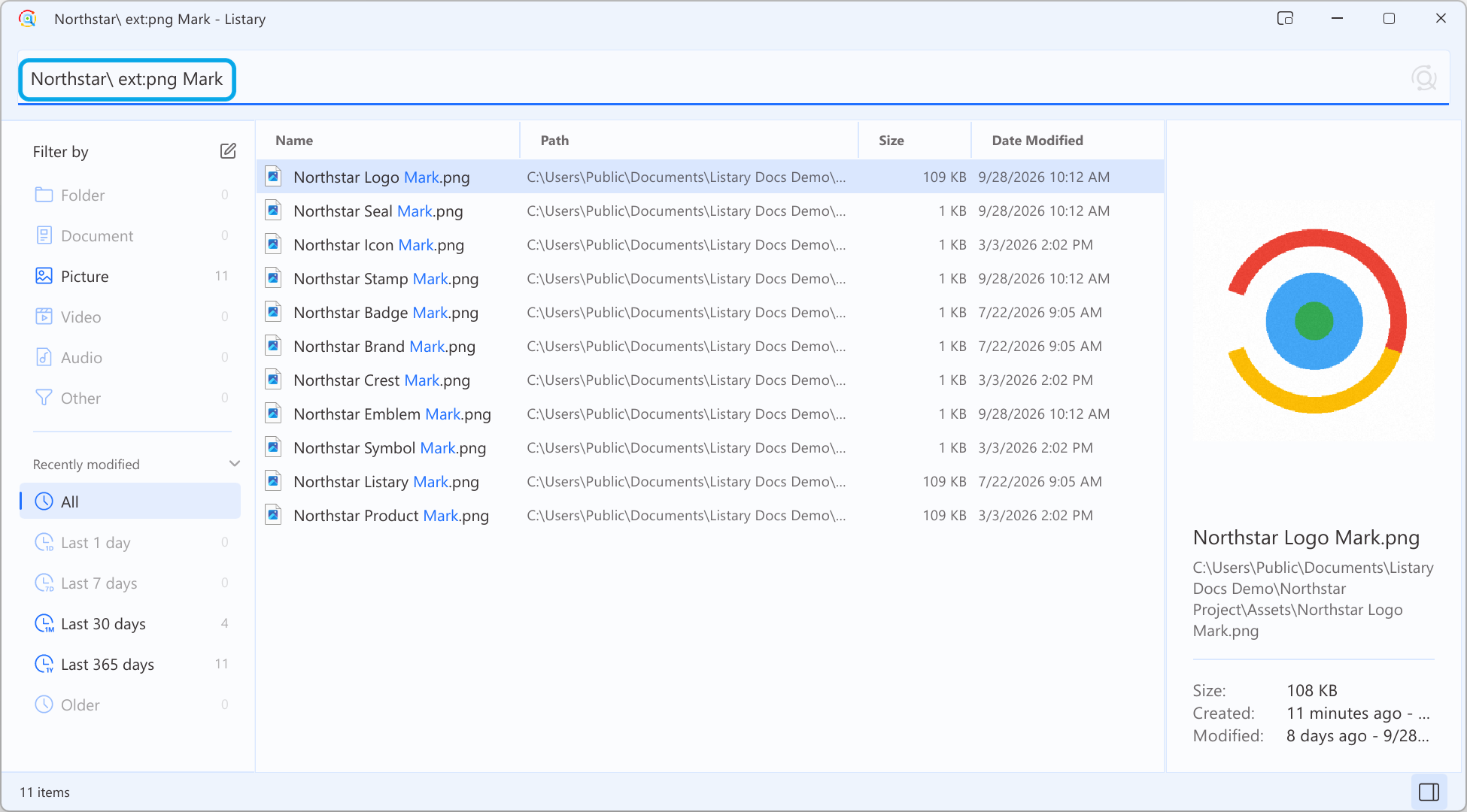
Exact phrases and exclusions
| Syntax | Meaning | Example |
|---|---|---|
"exact phrase" | Match the complete phrase exactly as written, including the space | "project plan" matches 2026 Project Plan.docx, but not Project 2026 Plan.docx |
-word | Exclude names containing a word | report -draft |
-"exact phrase" | Exclude names containing a phrase | report -"old version" |
Quoted phrases are case-insensitive but do not use fuzzy matching or Chinese Pinyin matching. An unclosed quote continues to the end of the query.
Extensions
For broad categories such as documents, pictures, or videos, use Listary's existing filters. The syntax below is for matching exact file extensions.
| Syntax | Meaning | Example |
|---|---|---|
ext:pdf | One extension | ext:pdf invoice |
ext:pdf;docx | Any listed extension; , also works | ext:pdf;docx contract |
*.pdf | Shorthand for ext:pdf | *.pdf invoice |
-ext:tmp | Exclude an extension | report -ext:tmp |
-*.bak | Exclude an extension using shorthand | project -*.bak |
Extensions are case-insensitive. A leading dot is optional, so ext:pdf and ext:.pdf are equivalent. Compound extensions are supported, for example ext:tar.gz.
Modified date
date: filters by the file's modified time in your local time zone.
| Syntax | Meaning | Example |
|---|---|---|
date:today | Modified since the start of today | date:today notes |
date:yesterday | Modified yesterday | date:yesterday notes |
date:week | Modified in the last 7 days | date:week report |
date:month | Modified in the last 30 days | date:month report |
date:year | Modified in the last 365 days | date:year report |
date:2026 | Modified during 2026 | date:2026 invoice |
date:2026-07 | Modified during July 2026 | date:2026-07 invoice |
date:2026-07-15 | Modified on that day | date:2026-07-15 invoice |
date:2026-01..2026-06 | Modified within an inclusive range | date:2026-01..2026-06 report |
date:>2026-06 | Modified after June 2026 | date:>2026-06 report |
date:<=2026-06 | Modified up to and including June 2026 | date:<=2026-06 report |
The comparison operators >, >=, <, and <= all work with a year, month, or day. Multiple date: filters are intersected, so a result must satisfy all of them.
File size
size: applies to files only. Folders are omitted because they do not have a searchable file size.
| Syntax | Meaning | Example |
|---|---|---|
size:>10mb | Larger than 10 MB | size:>10mb video |
size:<=100kb | 100 KB or smaller | size:<=100kb config |
size:10mb..1gb | From 10 MB through 1 GB | size:10mb..1gb backup |
size:1gb | 1 GB or larger | size:1gb |
size:>1.5gb | Decimal values are supported | size:>1.5gb |
Supported units are b, kb, mb, gb, and tb, using 1,024-based units. If you omit the unit, Listary uses MB. Units are case-insensitive. Multiple size: filters are intersected.
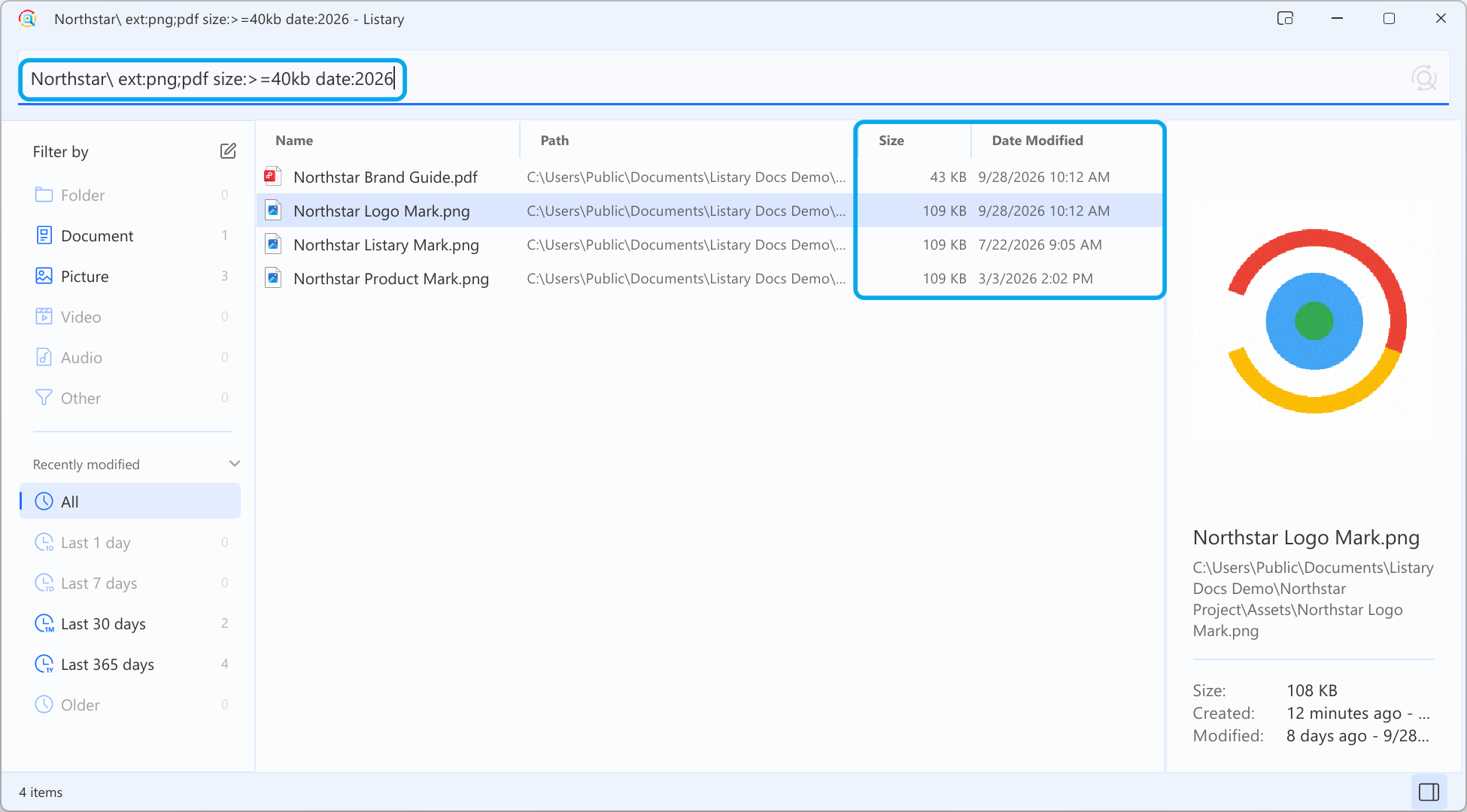
Extension, date, and size conditions can be combined. The Size and Date Modified columns show the size and modification time of each result:
Folder paths and drives
End a folder keyword with \ or / to match it against the parent path rather than the file name. Path parts must appear in the same order.
| Query | Meaning |
|---|---|
windows\ note | “note” inside a folder matching “windows” |
work\client\ proposal | “proposal” below matching “work” then “client” folders |
D:\ photo | “photo” on drive D: |
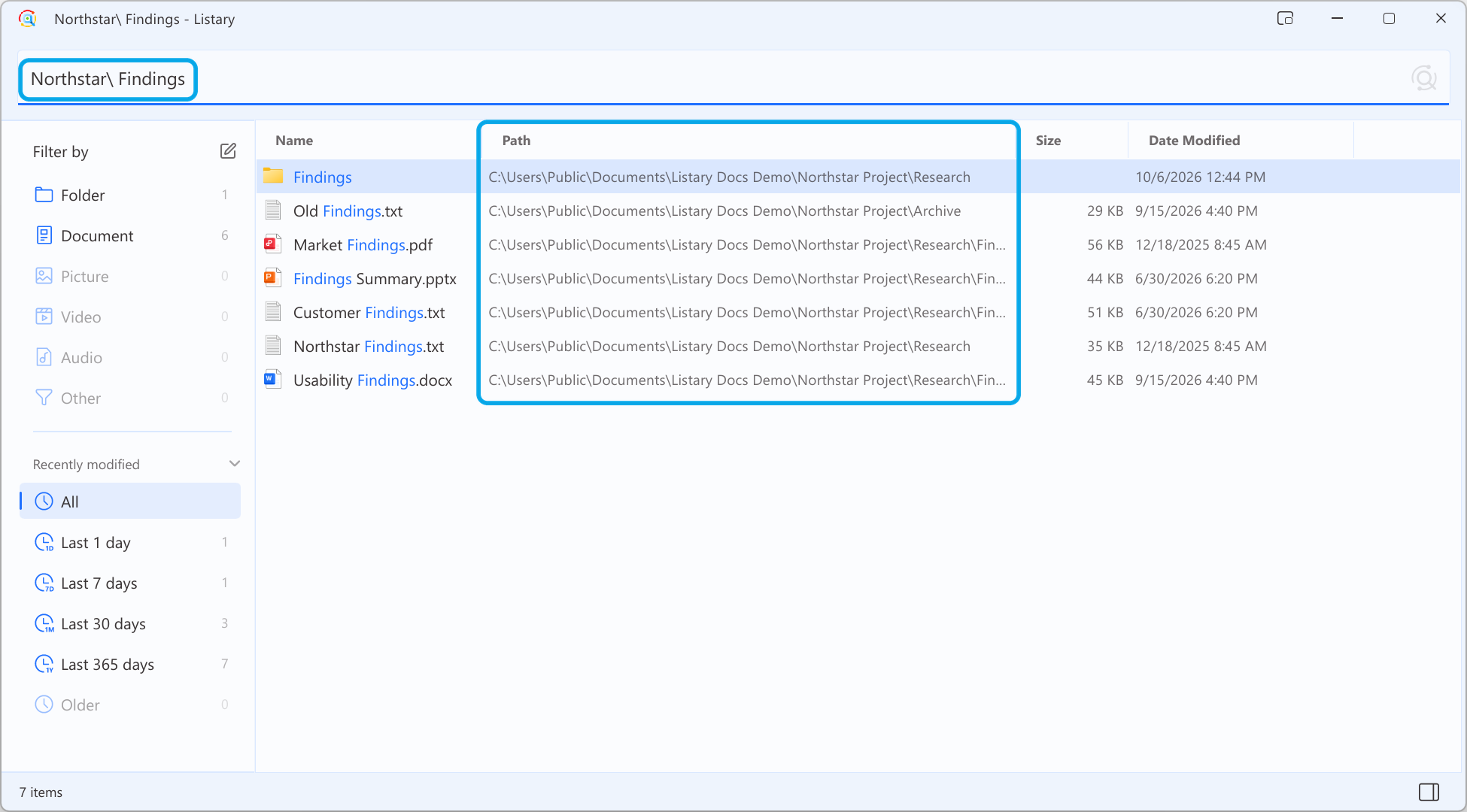
The path column in the File Search Window shows whether each result is inside the requested folder:
How combinations work
- Different kinds of conditions are combined with AND. For example,
ext:pdf date:week reportrequires all three conditions. - Multiple
ext:values use OR.ext:pdf ext:docxmeans PDF or DOCX. - Multiple
date:orsize:conditions narrow each other. Contradictory ranges return no results. - Exclusion markers must touch the value: use
-draft, not- draft. A hyphen inside a name such asmy-fileremains an ordinary character. - If a value cannot be parsed, Listary ignores that operator instead of stopping the search.
Not supported yet
The current version does not interpret general wildcards such as foo*, *foo*, or ?; Boolean OR (|); regular expressions; name:; or sort:. Only the extension shorthand *.ext is supported.
Negated date and size filters, such as -date:today and -size:1gb, are also not supported. Express the range you want with comparisons instead.